Quadibyte
Briefing Point interface

Aviation briefing infrastructure for crews, editors, reviewers, and airline operators.

Briefing Point turns aviation operating knowledge into a field-ready system: an iPad cockpit app for pilots, a web dashboard for editors and operators, and a Laravel API that keeps briefings, review state, offline packages, notifications, exports, and airline-scoped access aligned.

QuadiByte worked across the Expo iPad app, Next.js web dashboard, and Laravel backend: cockpit briefing routes, offline download architecture, role-based access, content authoring, review workflows, PDF/CSV exports, service memo notifications, support desk, fatigue reports, observability, and storage/search infrastructure.

Before a flight, crews need to absorb airport, route, layover, station, service memo, and safety material quickly, accurately, and often without reliable connectivity. Operators need the opposite view: controlled publishing, review, airline-specific access, exports, reminders, support, audit, and compliance evidence. Briefing Point had to make both views part of the same system.

Key outcomes

  • 01An iPad-first pilot app spanning destinations, alternates, routes, areas, countries, layovers, station contacts, service memos, and air-safety reports
  • 02Offline briefing packages with checkpoints, chunked downloads, stream progress, resume behavior, cached media, local reading state, and queued sync
  • 03A Next.js operations dashboard for authoring, review, deletion requests, engagement monitoring, support, notifications, exports, and configuration
  • 04Laravel role boundaries for pilots, editors, reviewers, admins, and super admins, with airline-scoped visibility and demo isolation
  • 05Operational exports including briefing PDF generation, queued ZIP exports, CSV export tracking, selected-column exports, and download recovery
  • 06Service memo, support desk, fatigue report, and push-notification workflows tied back to mobile and admin actions

Cockpit access, editorial governance, offline reliability, and compliance had to behave like one aviation platform.

01

The product was not a document library. It was operational context before a flight.

Briefing Point had to turn airport, route, country, area, layover, station, service memo, and air-safety material into a workspace pilots can scan under pressure, on the iPad they actually carry.

02

Offline access could not be an afterthought.

Crews may need the same briefing on the jet bridge, in the cockpit, or after the connection drops. Downloads needed checkpoints, chunks, resume behavior, cached media, local reading state, and sync queues that do not punish the user for being offline.

03

Admins, editors, reviewers, airlines, and pilots needed different truth.

The web dashboard had to support publishing, review, deletion requests, exports, support cases, fatigue reports, notifications, audit trails, and airline-scoped visibility without leaking operational data across roles.

Briefing Point iPad briefing interface

01 / Cockpit briefing experience

Turning dense aviation context into an iPad-first briefing workspace.

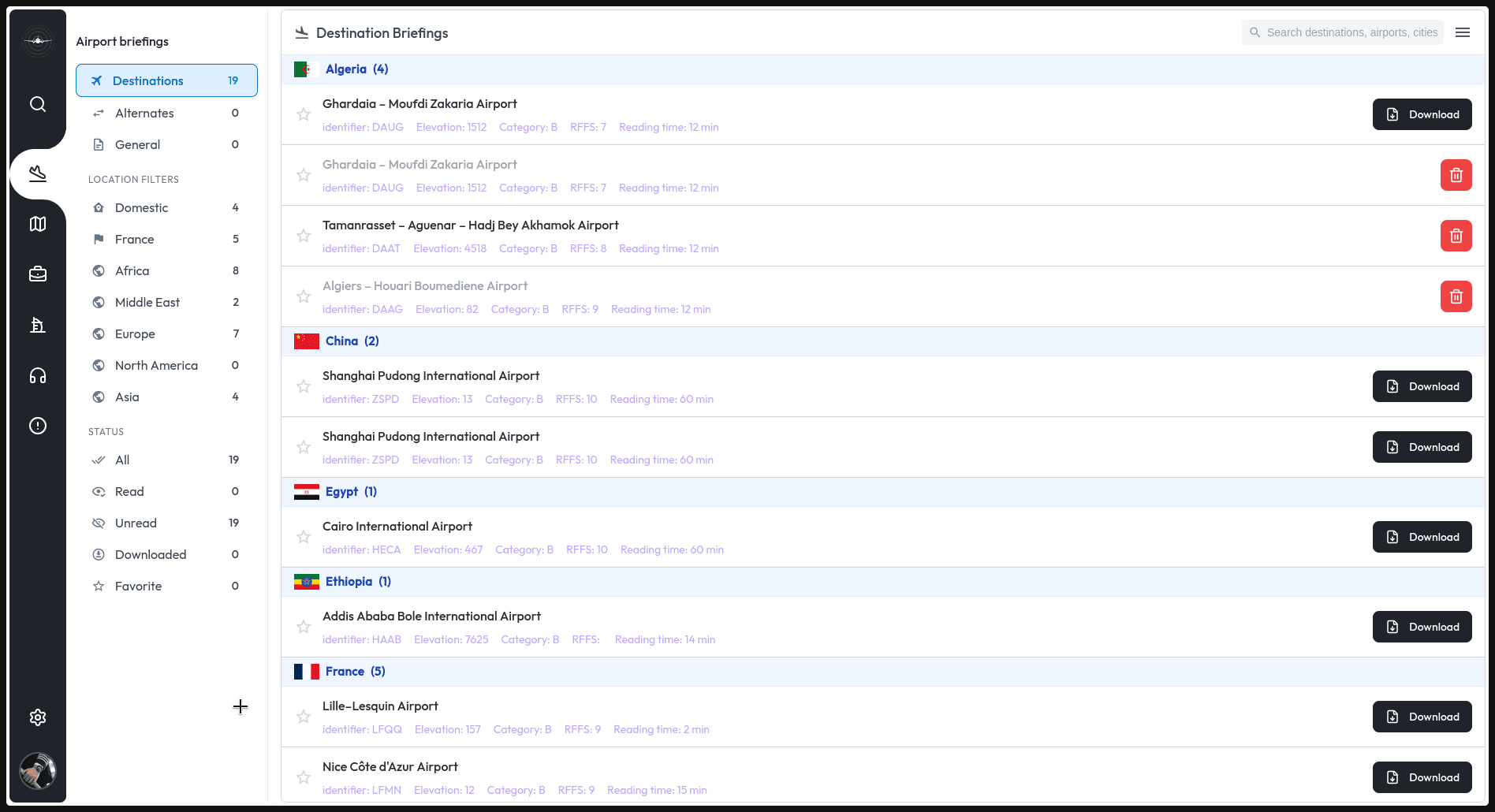
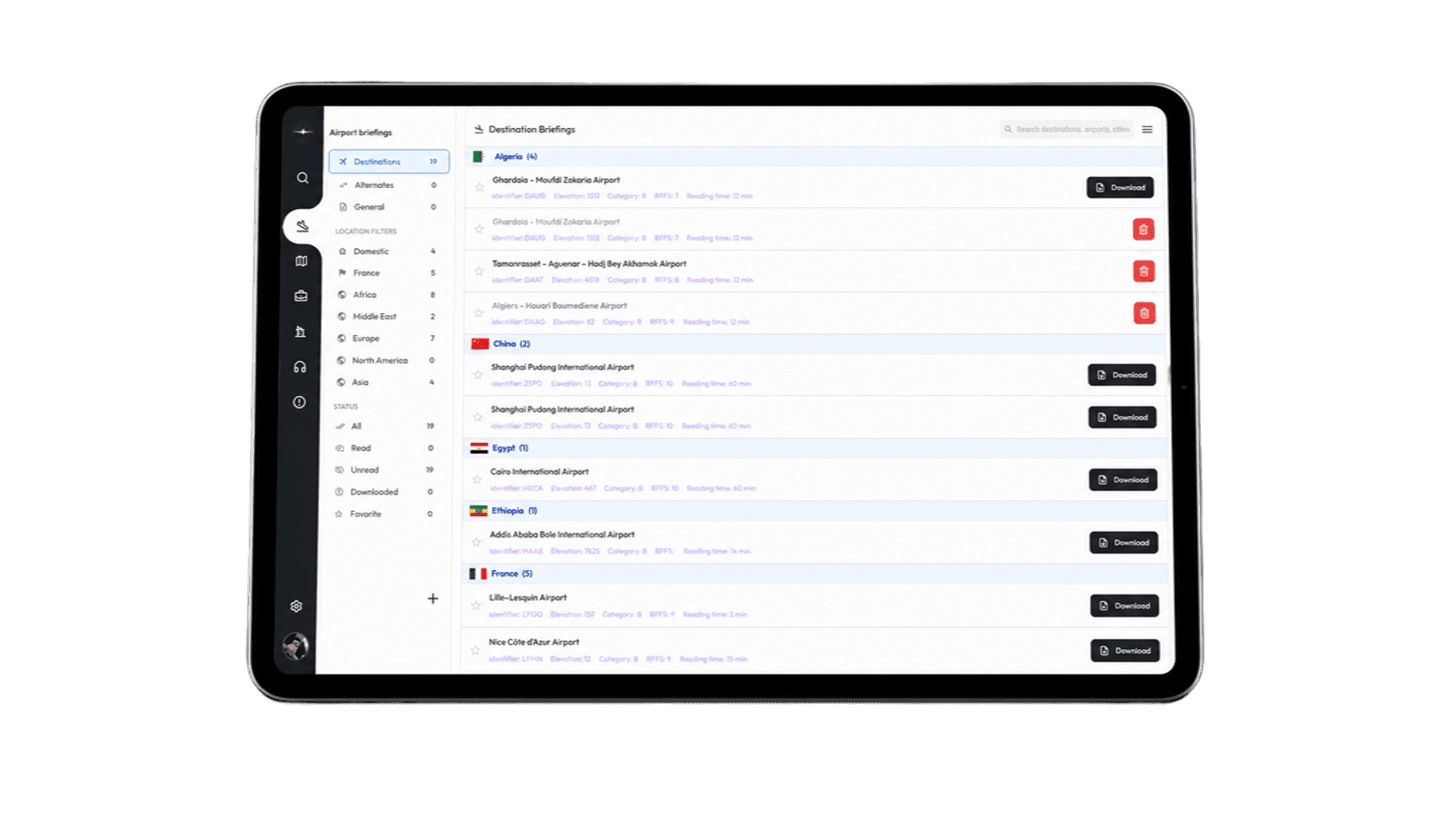
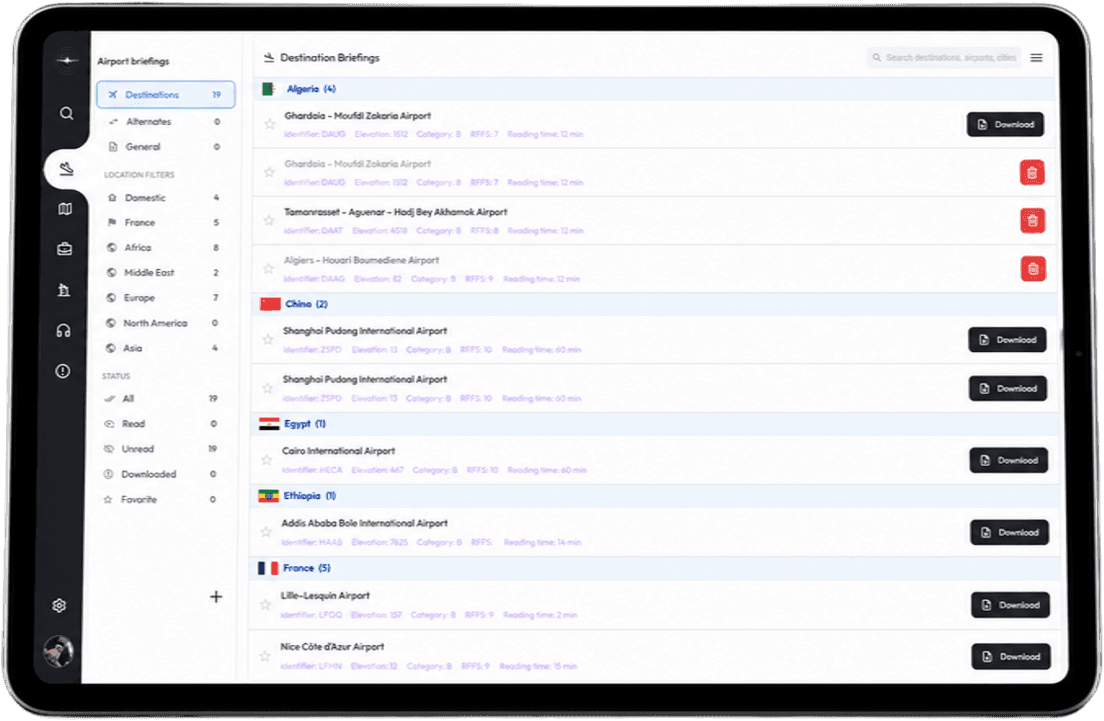
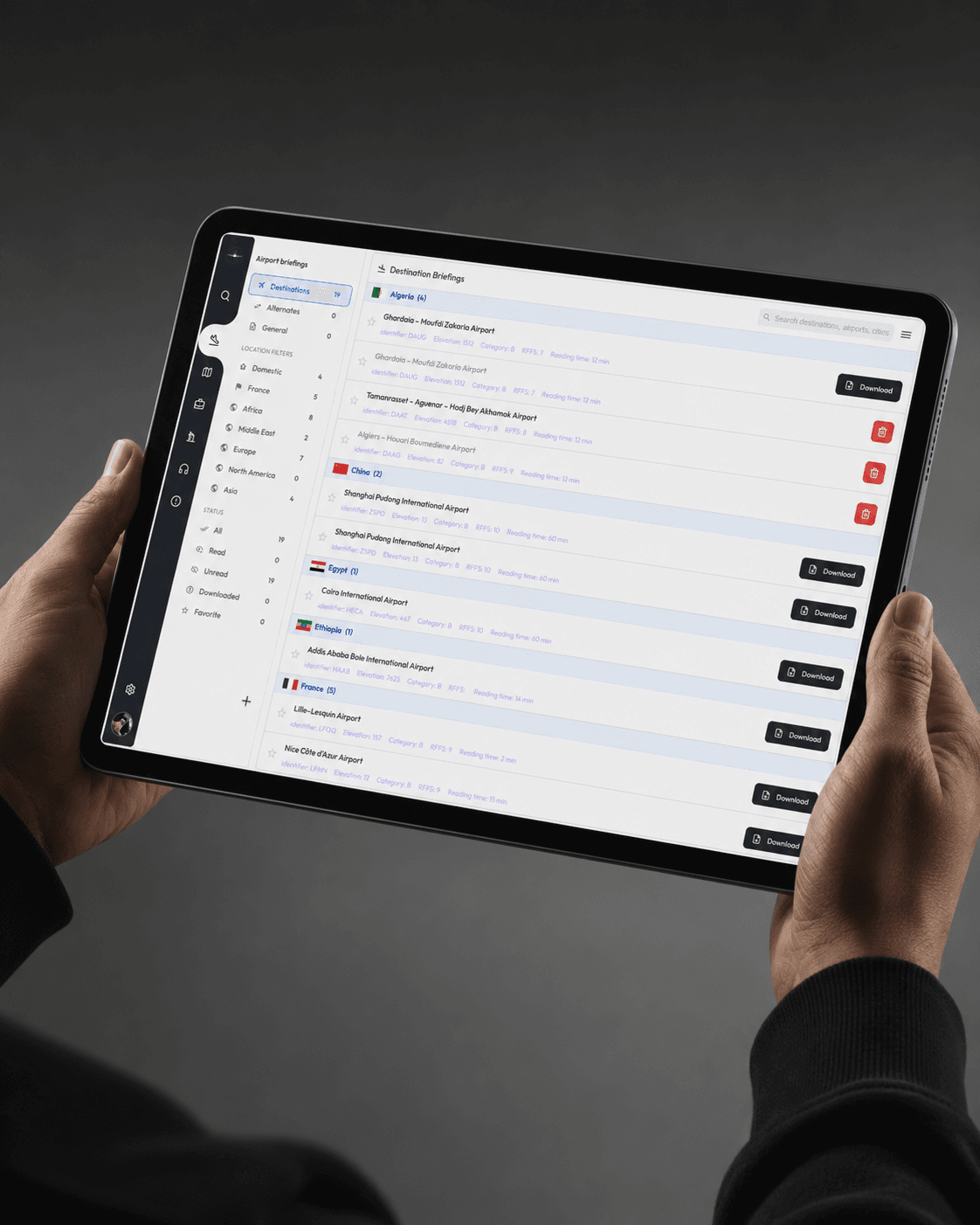
The mobile app organizes destination, alternate, general, route, area, country, layover, station contact, service memo, and air-safety report surfaces around the way crews prepare for a flight.

The interface work was about density with discipline: nested content blocks, weather context, safety events, station details, reading progress, favorites, recent history, and service memo status all needed to remain scannable on a tablet screen.

  • Expo iPad app with typed routes for briefings, stations, layovers, routes, service memos, and safety reports
  • Reading progress, favorites, recent history, weather, station contacts, and service memo states
  • Native capture protection and tablet-focused build profiles
Briefing Point product interface showing briefing content

02 / Offline and sync architecture

A briefing had to stay usable when the network disappeared.

The backend creates resumable download checkpoints, tracks downloadable briefing items, exposes chunk and progress endpoints, and packages related airport, airline, content-block, media, and air-safety data for the mobile app.

On-device, the app checks network and storage, manages resumable downloads, caches files, preserves reading state, and queues feedback, acknowledgments, and progress sync so flight-prep work is not lost when connectivity changes.

  • Chunked download, checkpoint status, stream progress, resume, and sync-status API endpoints
  • SQLite-backed mobile storage, background sync queues, cached media, and offline auth support
  • Regression tests around downloads, reading progress, crew feedback, offline auth, and safety-report grouping
Briefing Point dashboard product shot

03 / Governance and operations

The admin platform turned aviation content into a managed workflow.

The Next.js dashboard gives operational teams authoring and oversight across airport briefings, routes, countries, areas, service memos, air-safety reports, layovers, station contacts, airlines, aircraft, users, support cases, notifications, and data exports.

The Laravel API backs that interface with role-scoped access, review states, reviewer assignments, deletion requests, audit logs, PDF and CSV exports, push notifications, support-desk delivery, fatigue-report review, Meilisearch indexing, and RustFS-backed file storage.

  • Roles for pilot, editor, reviewer, admin, and super admin
  • Review workflow, deletion requests, audit metrics, CSV exports, PDF exports, and support desk
  • Airline-scoped data access, notifications, fatigue-report forwarding, and operational health endpoints
Domain & Role Mapping
Aviation Information Model
iPad App & Admin Dashboard
Offline Sync & Exports
Governance & Hardening

Domain & Architecture

The first phase translated a safety-sensitive information domain into product boundaries: what a pilot needs before a flight, what editors and reviewers need to publish responsibly, and what admins need to keep airline data and operational workflows controlled.

The result was not a single dashboard or a mobile reader. It became a three-surface platform: iPad cockpit app, web operations dashboard, and API layer for access, storage, search, exports, notifications, and offline packages.

Platform Build

The build connected an Expo tablet app, a Next.js admin dashboard, and a Laravel API with Sanctum roles, Meilisearch indexing, RustFS-backed files, PDF generation, CSV export jobs, push notification dispatch, support-case delivery, and fatigue-report forwarding.

The design challenge was density under pressure: pilots needed fast scanning and offline confidence, while operators needed authoring, review, audit, configuration, export, and support controls without losing role boundaries.

Hardening & Stewardship

After the core platform existed, the work continued through the details that make aviation software dependable: offline retry behavior, scroll restoration, cached favorites, background sync state, heap/runtime logging, export tracking, notification preferences, and access-scope fixes.

That ongoing maintenance is central to the case study. Briefing Point is not just an interface for reading operational material; it is a governed aviation information platform built to keep working when conditions are imperfect.

Briefing Point aviation briefing interface
Next project
Turning legal work that usually disappears into a trusted marketplace.

Have a workflow like this?

Share the rough version and we will help identify the first useful build, the same way we approached this project.

Send the rough version